Your AI knows agriculture. It doesn't know your farm.
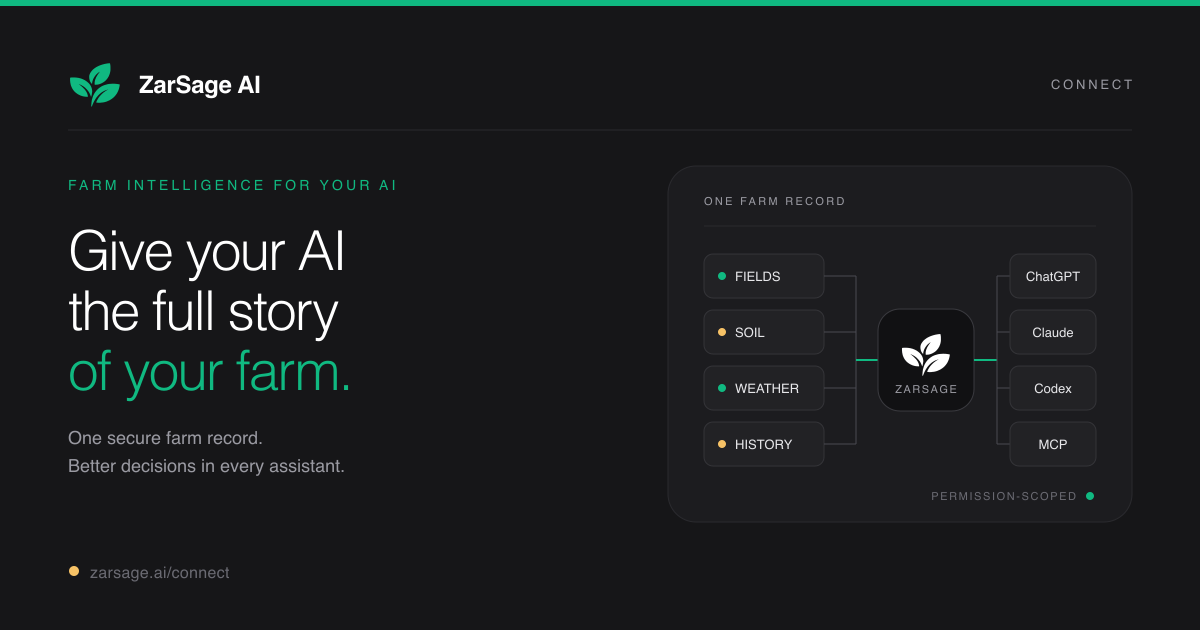
A good AI model already knows a great deal about crops, soil, weather, pests, and agronomy.
What it does not know is your farm.
It does not know the exact boundary of your North Field, what you planted there, which soil sample belongs to it, what work has already been completed, or whether this week’s forecast makes a planned operation a bad idea.
That gap is what ZarSage Connect is built to close.
Your farm record inside the assistant you already use
ZarSage Connect gives ChatGPT and Claude permissioned access to your ZarSage farm record. You connect it once, choose the permissions, and then ask questions naturally in the assistant you already use.
The assistant can retrieve the relevant field context instead of asking you to rebuild it in every conversation.
That context can include:
- fields and exact boundaries;
- crop cycles and work history;
- soil lab results and modeled soil data;
- recent forecasts and long-term weather history;
- satellite scenes and available NDVI;
- tasks, observations, interventions, and alerts; and
- farm documents, resources, and confirmed memory.
ZarSage remains the farm record. ChatGPT or Claude handles the conversation.
A practical example
Suppose you ask:
What should I check before spraying North Field this week? Use its current weather, field record, and work history. Show the sources used, and do not change anything.
ZarSage can resolve North Field to the saved boundary, check its current forecast and recorded work, and return a field-specific screening rather than a generic spray checklist.
In the examples below, both assistants advise against spraying during the seven-day window because every day carries rain wash-off risk. They show the daily rainfall and wind screen, list the farm, weather, soil, and work records used, and confirm that nothing was changed.
This is decision support, not a substitute for the product label, local regulation, or professional agronomic judgment. ZarSage makes the available evidence easier to inspect and the missing information harder to overlook.
Evidence and control stay visible
The part I care most about is not merely getting an answer. It is being able to inspect why that answer was produced.
Important ZarSage results can include source names, retrieval or observation times, units, confidence, and known data gaps. Modeled values are labeled as modeled. If a satellite pass is clouded out or a soil sample is stale, the assistant should not quietly turn that gap into certainty.
Read and write access are also separate. You can grant read-only access, and write-capable workflows require additional permission. Supported planning workflows add a server-side confirmation step before the farm record changes.
You can disconnect the assistant when you choose.
It works with more than one AI
The same farm record can be used from ChatGPT, Claude, Claude Code, Codex, and other remote MCP clients.
Availability still depends on the assistant. Claude supports custom connectors across its plans. ChatGPT requires Developer mode, whose availability and allowed actions can vary by account and workspace policy. The ZarSage Connect setup page keeps the current steps and account qualifications in one place.
Free during early access
Update, September 2026: early access has ended. New subscribers now start with a 7-day free trial on one field. See pricing.
ZarSage Connect is free during early access. Each account can register up to three fields, each from 0.01 to 300 hectares. No ZarSage subscription or payment card is required.
I am keeping the first version deliberately narrow because the useful question is not how many tools it can expose. It is whether a farmer can ask a real question about a real field, inspect the evidence, and make a better-informed decision without reconstructing the farm’s history from memory.
Try it on one real field
Start with one field you actually manage. Add its exact boundary, record the crop and the evidence you already have, then ask the assistant a question whose answer matters this week.
Connect your assistant to ZarSage.
If you get stuck, write to musa.bello@zarsage.ai. It reaches me, not a support queue.